Check stereochemistry, properties, names and spin
Open stereochemistry.vsk. It contains a specified lactic-acid stereocentre, an E-configured difluoroethene, isotopically labelled methane, ammonium and a methyl radical. This is a properties worksheet, not a reaction.
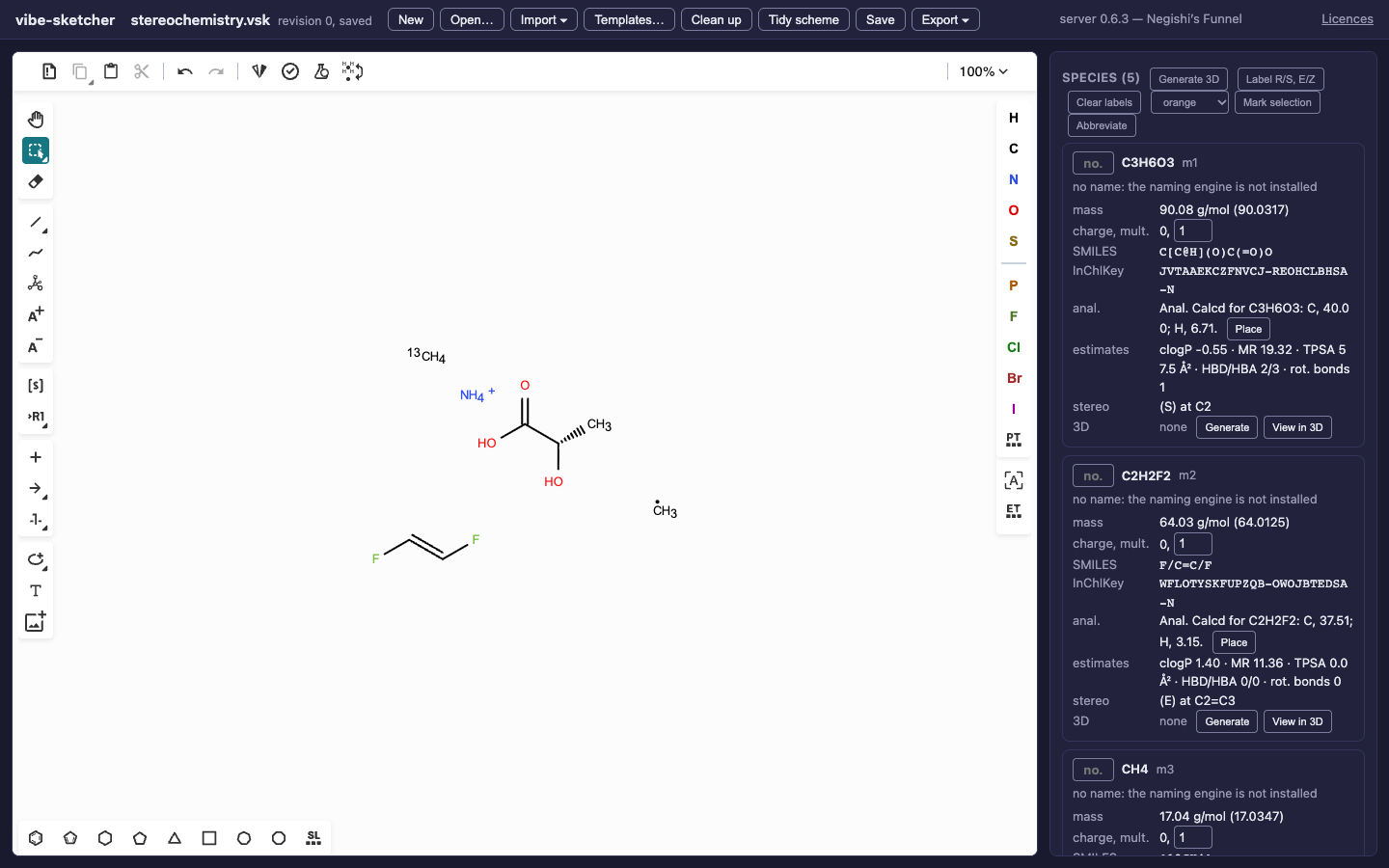
Wedges, double-bond geometry, isotope labels, formal charge and radicals carry different information. Check each independently.
Draw and inspect
Open lactic-acid.vsk. Use the bond palette’s wedge and hashed bond tools to specify a tetrahedral centre. Switching a wedge can change the stereoisomer; Undo restores the example.
Read the formula, average and monoisotopic masses, SMILES, InChI and InChIKey in the species card. The formula is C3H6O3. A matching formula alone cannot distinguish its stereoisomers.
Enter
1in Compound number to label the species. Draw short numbers beneath molecules or condition text beside arrows using the T tool when those labels should also be visible on the canvas.Compare the E double bond and isotope-labelled methane in the worksheet. Atom labels and charge tools change the structure; free text is an annotation.
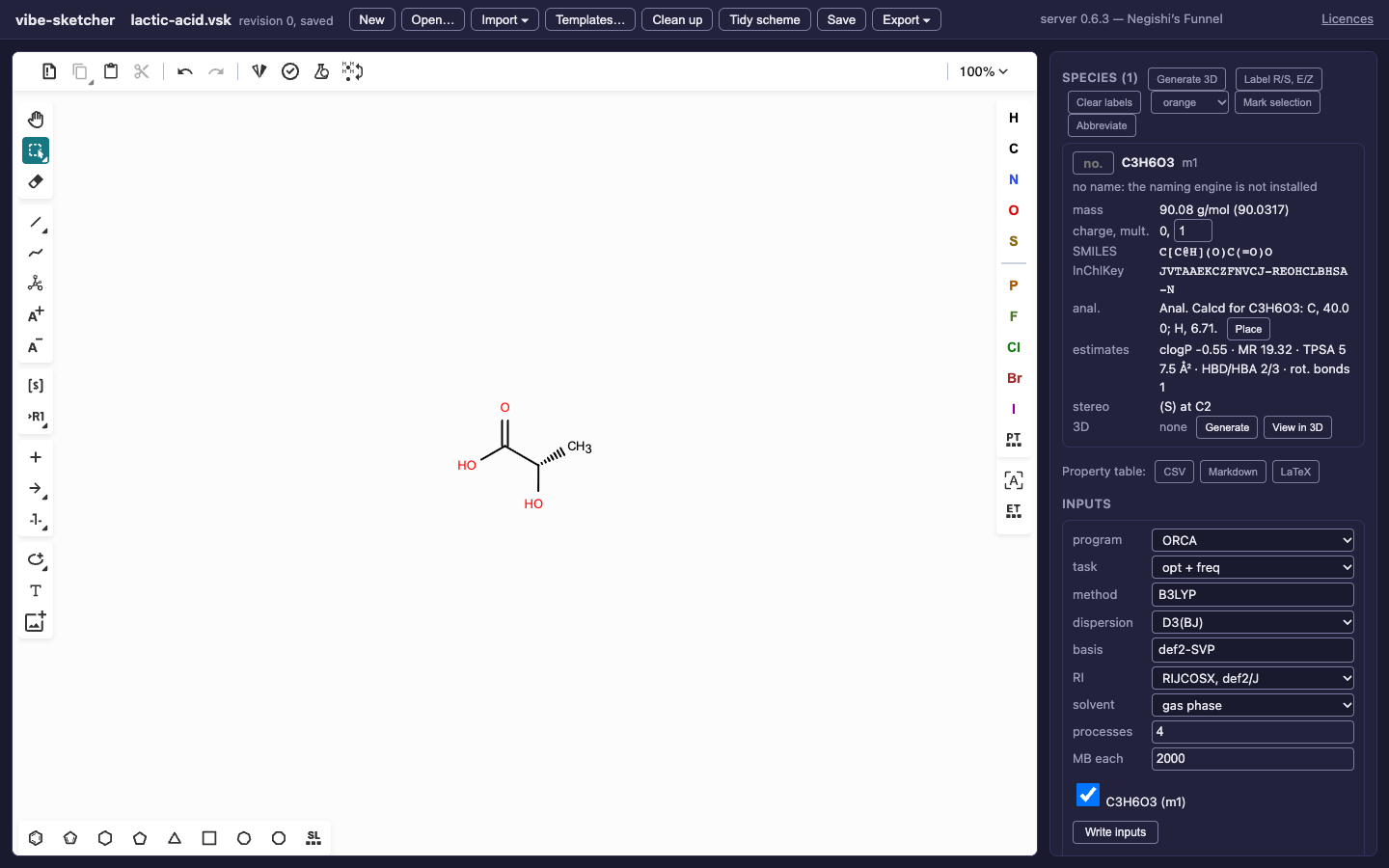
The structure’s identity comes from its drawing. The name line separately reports whether a name was checked, suggested, set by the user or unavailable.
Use an explicitly chosen stereoisomer when preparing a calculation. Relative
OR and mixture AND labels cannot identify a single calculation species:
native drawings retain them with a warning, and normalized exports are
refused until they are resolved. Importing a molfile with relative tetrahedral
stereochemistry is also refused. Confirm the intended enantiomer in the
source editor and export it as absolute; do not relabel a mixture merely to
silence the warning. See format and stereo rules.
Names are checked, not assumed
If the optional vibe-qc naming engine is present, a verified name maps
back to the structure, including specified R/S and E/Z stereochemistry.
The standalone vibeqc-naming integration receives the explicit graph and
stereo descriptors; it does not require vibe-qc’s calculation engine. If the
name’s reverse mapping matches only connectivity, it remains an unverified
suggestion. A mismatched name is withheld. Without the engine, the card says so.
Importing a name and generating one are limited to the engine’s supported
chemistry. For a command-line check:
vibe-sketcher name 'C=C'
vibe-sketcher info stereochemistry.vsk --json
vibe-sketcher info stereochemistry.vsk --json --no-names
name exits 3 for an unverified/refused name, or 1 with an install hint when
the engine is unavailable; read its explanation.
To set your own name, use the SDK’s Name model, REST species patch, or MCP
set_species. The browser displays that name with a yours badge. It is
not presented as an engine-verified identification. The
REST/MCP examples set a name and compound number explicitly.
Set multiplicity with the electron count in mind
Open methyl-radical.vsk. [CH3]
is neutral with multiplicity 2. [NH4+] in the worksheet has charge +1
and multiplicity 1. Charge is derived from the atoms’ formal charges;
Multiplicity is editable in the species card.
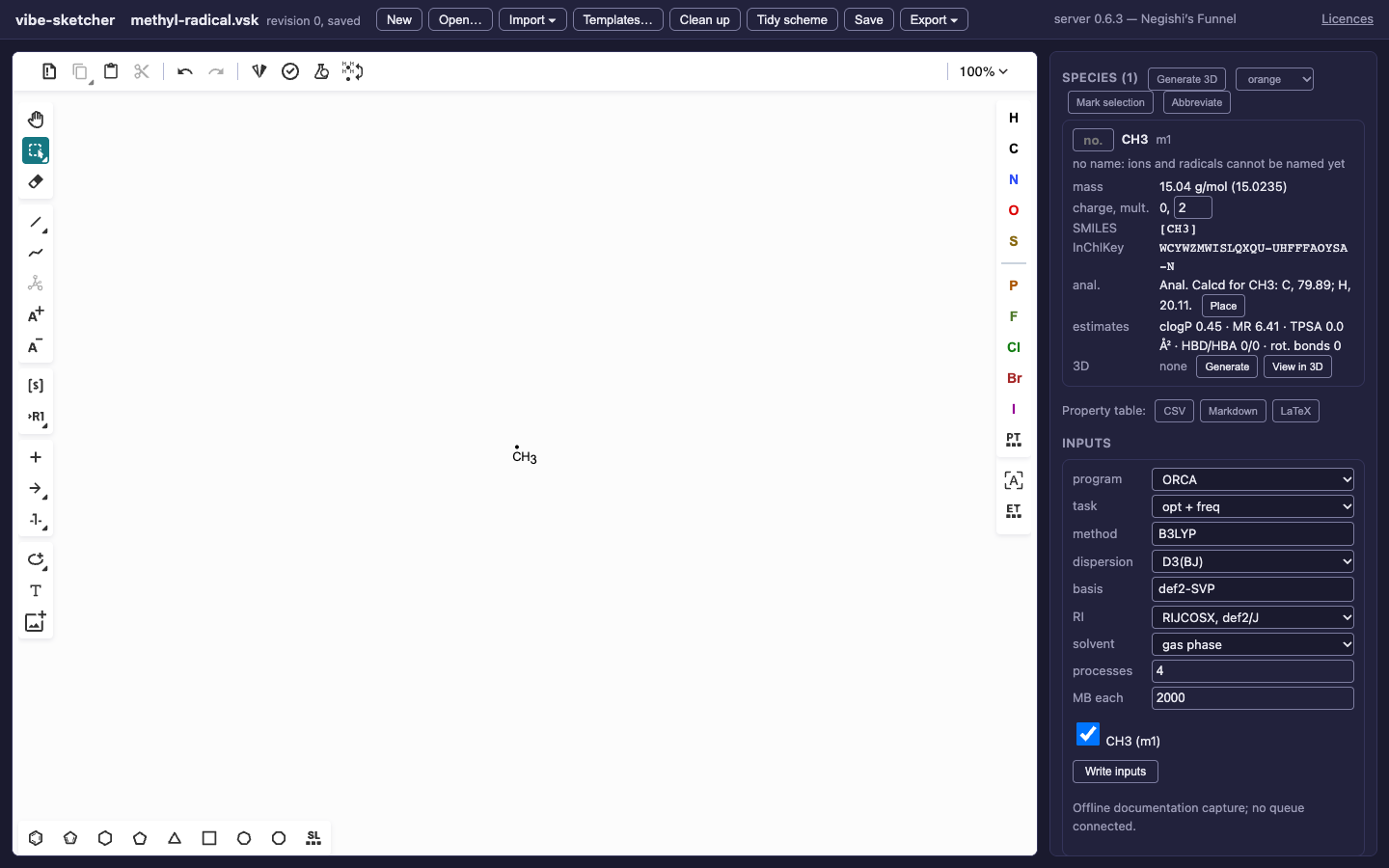
A radical example: the app proposes a doublet and does not invent an IUPAC name.
Try setting the methyl radical’s multiplicity to 1. The incompatible electron parity is refused; restore 2. A parity-compatible value is not proof of the physical ground state. Metal centres need an informed explicit choice.
Save the worksheet and inspect it with vibe-sketcher validate. Then follow
cleanup and 3D: the embedder checks specified R/S and E/Z
against the generated coordinates and reports unspecified stereo.