What vibe-viewer can show you
A QVF archive is a set of independent sections, each declaring a kind.
The viewer keeps one explicit registry of the kinds it renders
(vibeview.kinds.SUPPORTED_KINDS), and every file you open prints a banner
listing its sections and what will happen to each one:
╔══════════════════════════════════════════════════════════════════════════════╗
║  QVF file: h2o.qvf                                                           ║
║  Source:   vibe-qc 0.16.0 — RKS/PBE                                          ║
╠══════════════════════════════════════════════════════════════════════════════╣
║  Section ID          Kind                         Status                     ║
╠══════════════════════════════════════════════════════════════════════════════╣
║  struct_0            structure                    rendered                   ║
║  vol_homo            volume.orbital               rendered                   ║
║  x_orca_gbw          x_orca.gbw                   skipped, vendor namespace  ║
╚══════════════════════════════════════════════════════════════════════════════╝
That banner is the honest answer to “is my data actually being displayed?” — nothing is silently dropped. A section is reported as one of:
Status |
Meaning |
|---|---|
|
The viewer has a renderer for this kind |
|
The format defines the kind and the producer emits it, but no renderer exists yet |
|
The kind is not in the registry at all |
|
An |
|
The section’s payload does not match its declared digest, so it is not used |
Every kind of the QVF version vibe-viewer reads has a renderer. A future kind
that QVF defines before vibe-viewer draws it shows as skipped, not yet rendered; the rest of the archive opens normally, unless the producer marked
it critical, in which case vibe-viewer refuses the file rather than show it
partly.
Structure and geometry
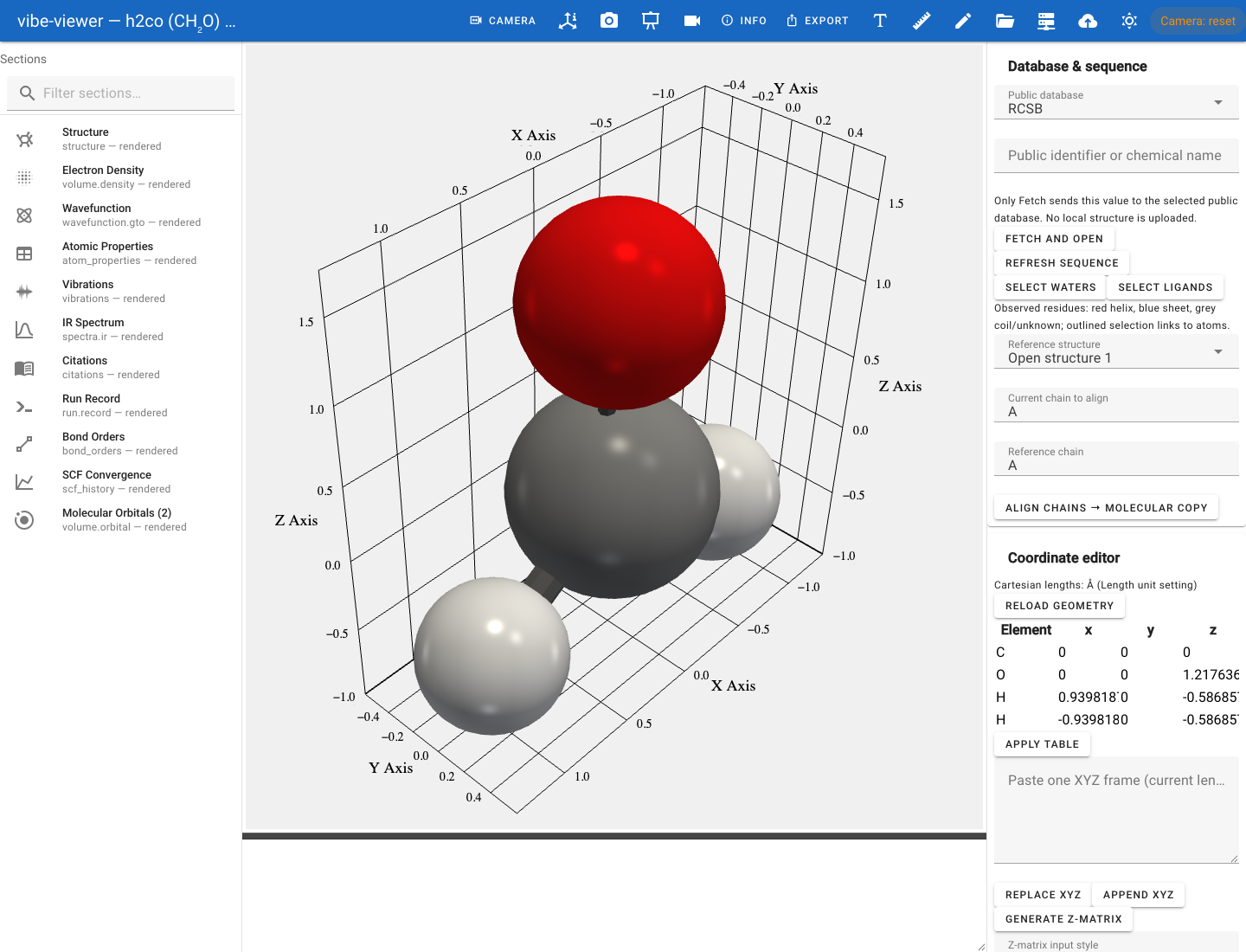
A formaldehyde structure from a vibe-qc calculation, with the light background selected.
Kind |
What you get |
|---|---|
|
CPK-coloured atoms in ball-and-stick, space-filling or wireframe. Optional chains, residues and secondary structure drive cartoon rendering for biomolecules. An archive may hold several, under any ids; the first is shown and selecting another shows it. Each is named by the label and name of its chemical identity. |
|
Folded into the structure section and drawn by the structure renderer — explicit connectivity is never dropped. |
|
Detected point group, with the symmetry elements drawn in place. |
|
Per-atom scalars (charges, spin densities, …) as a table and as atom colouring. |
|
Mayer / Wiberg analysis. |
|
Arrows along the force F = −∇E on each atom (the file stores the gradient), a per-atom table, the largest and RMS force and, with a stress tensor, the pressure; see forces and the Hessian |
|
The harmonic frequencies of the Cartesian Hessian, as a table with the matrix’s flags |
|
Tables of the multipoles and polarizabilities, the elastic constants with a mechanical-stability check, and the dielectric tensors, Born charges and piezoelectric tensor; an electric dipole is also drawn as an arrow. See property tables |
|
Critical points and bond paths. |
Structures can be measured (distances, angles, dihedrals), clipped by a plane,
aligned across files with Kabsch superposition, replicated into a supercell,
and edited — the browser and desktop surfaces carry a full atom editor with
undo/redo, a fragment library, a crystal builder, SMILES-based construction
(via the [smiles] extra) and drawing in vibe-sketcher (via the [sketch]
extra).
Building, inspecting and presenting
These tools work on any structure, whatever produced it:
Tool |
What you get |
Chapter |
|---|---|---|
Exact geometry |
Set a distance, angle or dihedral to a value, moving a chosen rigid fragment; explicit bond orders |
|
Molecular builder |
Bond rotation, coordination templates with ligands, peptides, DNA/RNA single strands and duplexes, ranked conformers, a fragment library |
|
Coordinate editor |
Editable Cartesian table with frozen flags; Z-matrix with Gaussian, ORCA and MOPAC blocks |
|
Surfaces and interactions |
VdW, SAS and SES surfaces coloured by element, chain, charge, hydrophobicity or potential, with area and volume; hydrogen bonds, contacts, clashes, salt bridges, halogen bonds and π-stacks |
|
Experimental maps |
MRC/CCP4 maps at sigma or absolute levels, surface or mesh, zoned around selected atoms |
|
Biomolecules |
Fetch by RCSB, AlphaFold or PubChem identifier, models and alternate locations, a sequence panel and sequence-based superposition |
|
Publication figures |
Measurement labels, text, arrows, boxes, colour keys, per-atom colour and radius mapping, morph movies |
|
Working model scenes |
Several models in one frame, a selection language, alignment, measurements, a command line and replayable JSON |
|
Calculation inputs |
vibe-qc, ORCA, Gaussian, Psi4, NWChem, Q-Chem, GAMESS, CP2K, xtb and VASP structures, submitted through vq where supported |
The Build, inspect and present tutorial uses them in sequence.
QTAIM topology
A topology.qtaim section adds critical points and bond paths to the molecular
scene. Its table shows density, the density Laplacian and ellipticity where
the producer supplies them.
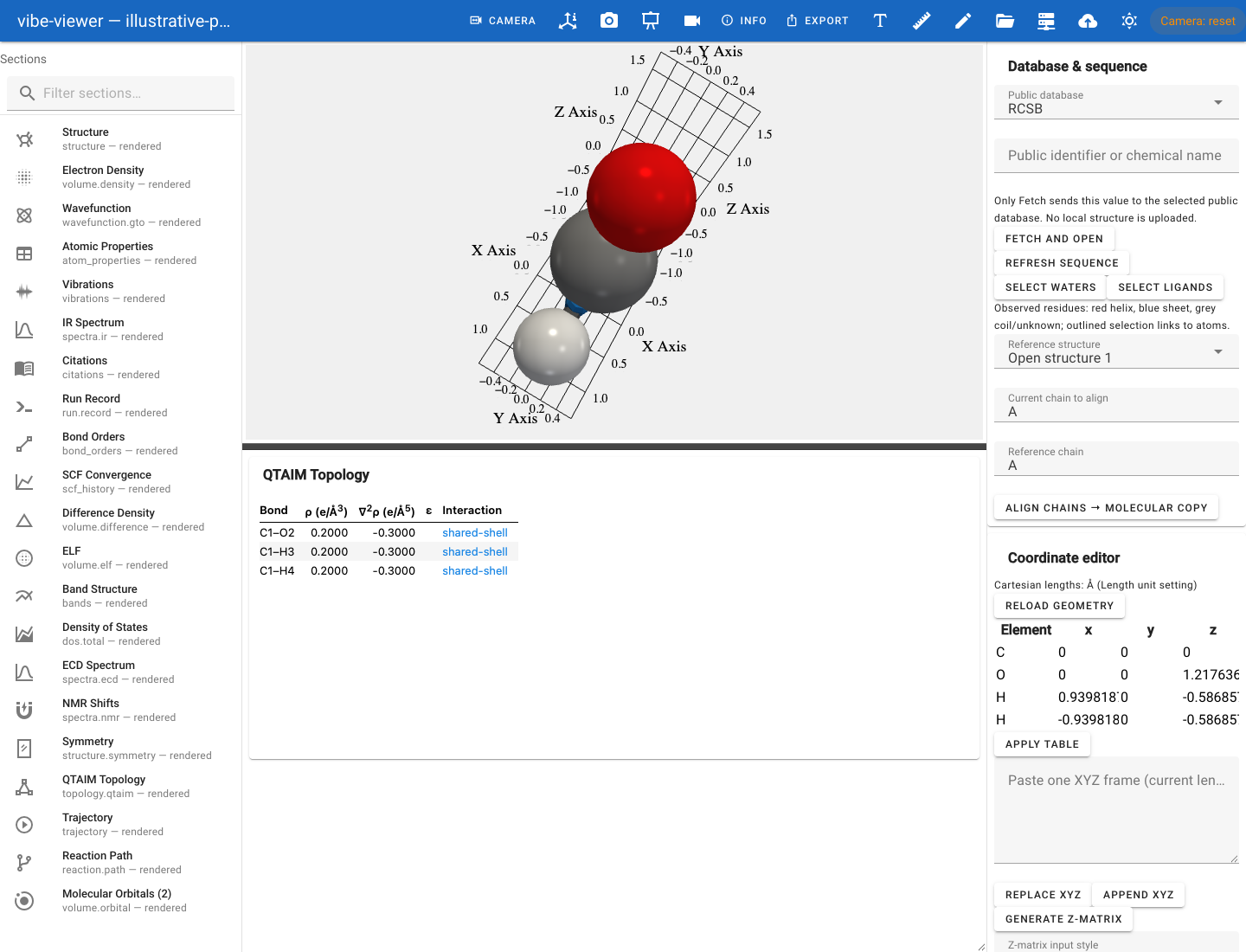
The actual QTAIM viewer with an explicitly illustrative topology fixture; the values shown are demonstration data, not a calculated topology.
Volumetric fields
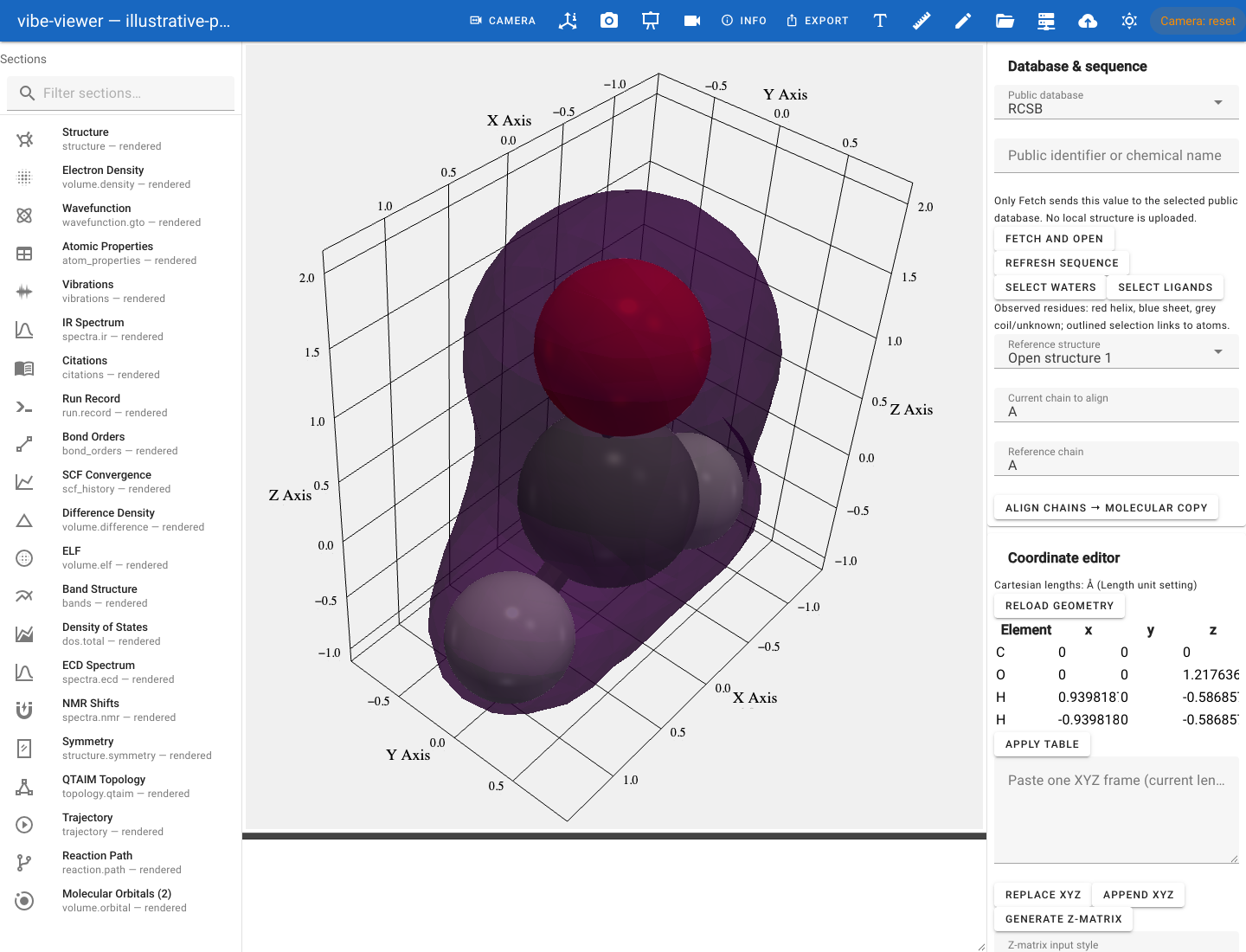
Computed electron density from the formaldehyde showcase archive.
All of these have an adjustable isovalue and colormap. Payloads are lazy-loaded: the binary grid is read on first activation, while the initial file open reads the manifest and section metadata. A larger grid still takes time to load and contour when selected.
Try it: run vibe-viewer info FILE.qvf, note the ID of a volume.*
section, and select it in the sidebar. Lower the isovalue to include more of
the field. A signed orbital or difference field can have two lobes; the
colours represent sign, not two different substances.
Kind |
What it is |
|---|---|
|
Electron density |
|
Molecular orbitals, with signed-lobe rendering |
|
Spin density |
|
Difference densities |
|
Electron localization function |
|
Electrostatic potential |
|
Reduced density gradient — non-covalent interaction analysis |
|
Transition density of an excited state, signed, linked from its |
|
Laplacian of the electron density, ∇²ρ in e/bohr⁵, signed: negative where charge concentrates, positive where it depletes; opens at ±0.1 |
|
A vector at every grid point, such as a density gradient or an electric field, drawn as arrows coloured by magnitude; see vector fields |
|
A complex scalar field, such as a complex orbital or a Bloch function at one k-point, drawn as its real or imaginary part (signed lobes) or as the modulus coloured by phase; see complex fields |
|
Several fields on one grid, such as the density along a trajectory, stepped and played slab by slab on each slab’s own trajectory frame; see volume series |
|
Anything else on a grid |
Wavefunctions, evaluated on demand
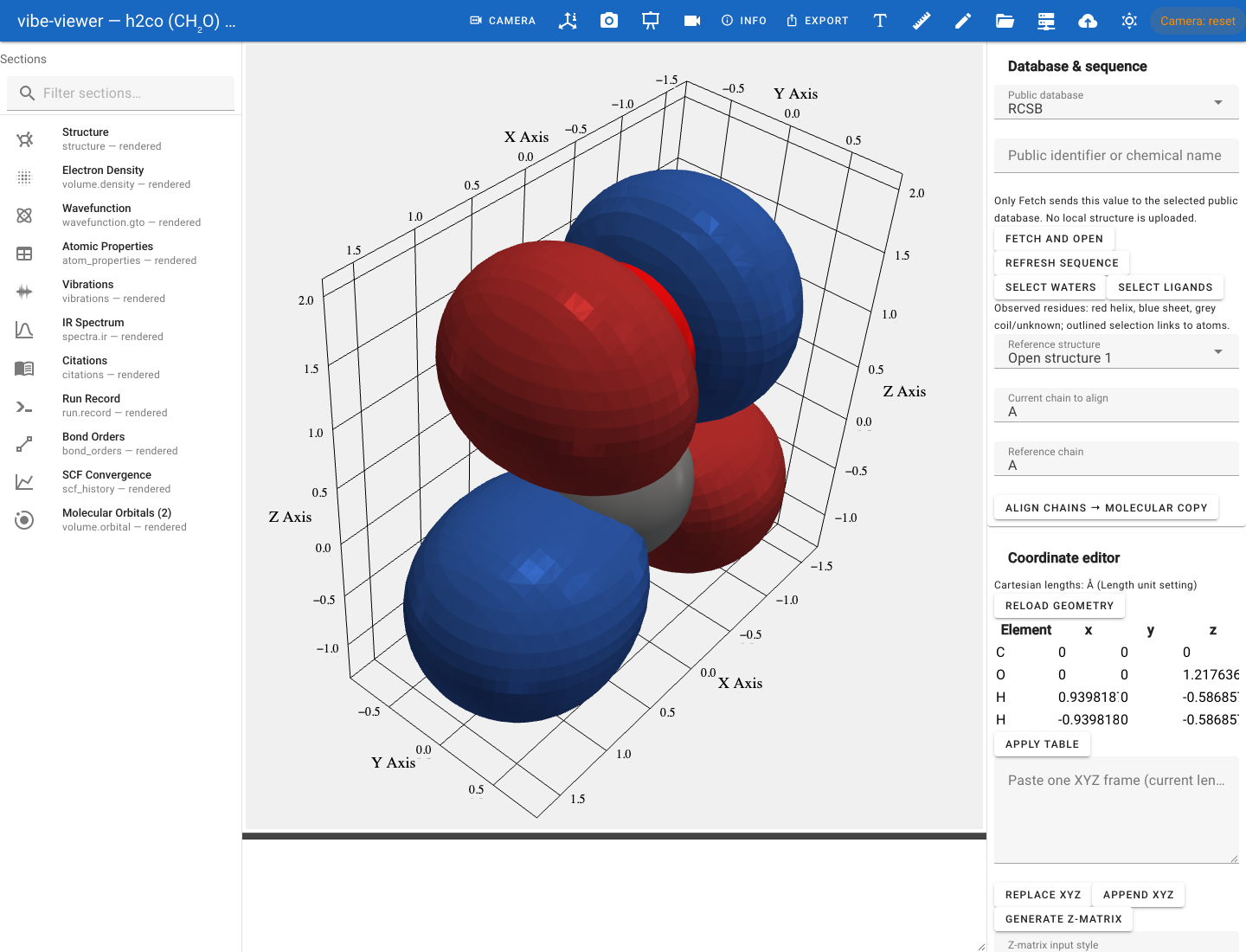
The formaldehyde HOMO, evaluated from the wavefunction stored in the QVF.
A wavefunction.bloch section, the orbitals of a crystal at several
k-points, is evaluated the same way with the lattice phase of each k-point;
see Bloch orbitals.
wavefunction.gto carries the GTO basis and MO coefficients rather than a
pre-computed grid, so the viewer can evaluate any orbital on demand
instead of only the ones the producer chose to ship. That covers canonical,
alpha/beta, natural and localized sets, plus computed density.
On-demand evaluation covers shells through l = 3; significant higher-shell
weight marks an orbital surface incomplete. Explicit Gamma-point orbitals in
fully periodic 3D cells include neighboring atomic-orbital tails and complex
coefficients. A wavefunction.gto section holds one k-point block, so its
nonzero k-points and partially periodic cells are not evaluated; orbitals at
other k-points, and chains and slabs, come as wavefunction.bloch. Archives
without explicit k-point metadata keep central-cell sampling. See orbital evaluation limits.
Natural transition orbitals are displayed with their state and transition
weights. A referenced excited_states section supplies the state energy,
and its own table of states, energies, strengths and orbital contributions
is rendered in the browser details panel, the terminal and vibe-viewer table --kind excited_states.
The related basis.ao kind carries atomic-orbital data and is lazy-loaded on
the same terms.
Periodic systems
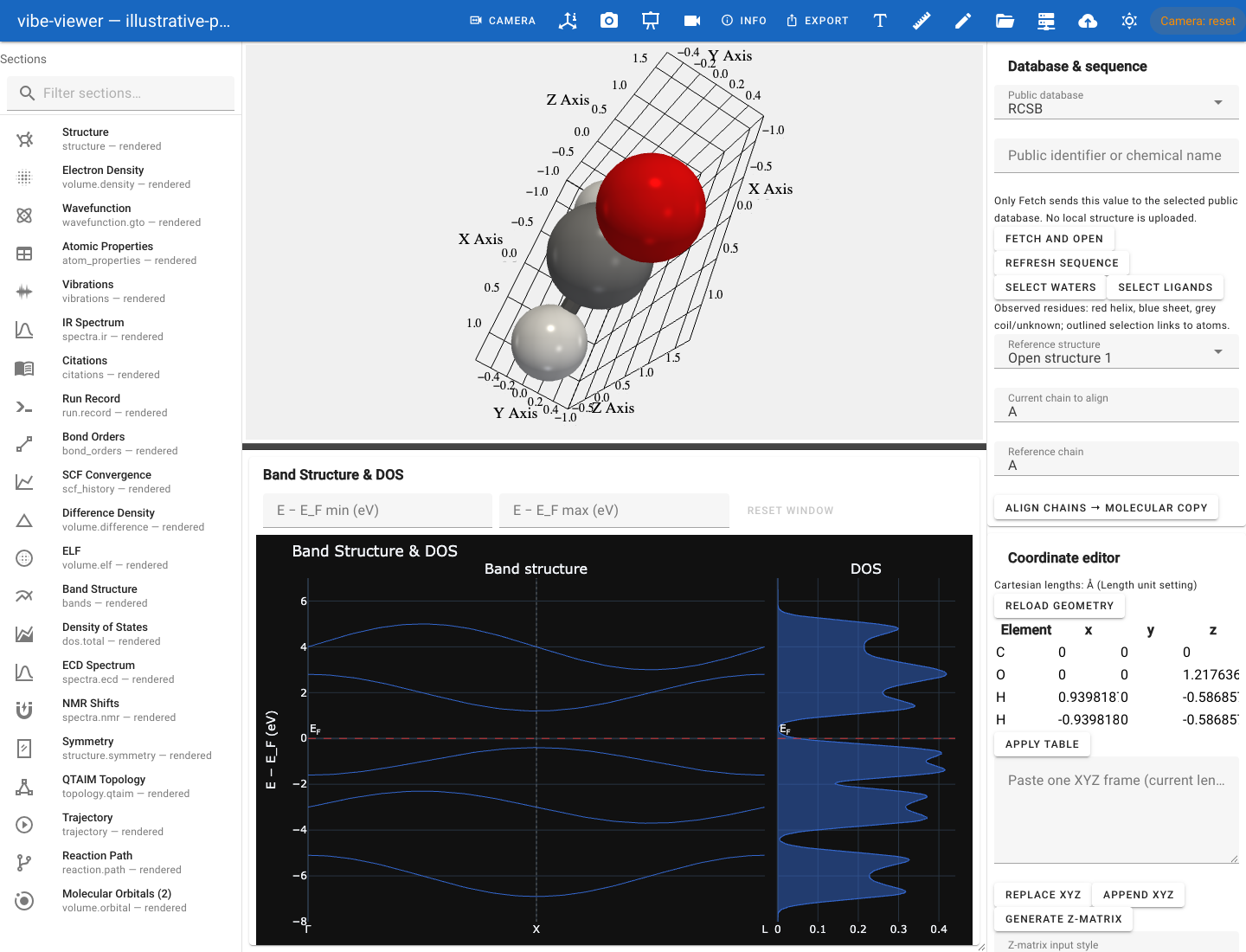
An illustrative band/DOS fixture demonstrates the combined panel; these curves are not a material calculation.
Kind |
What you get |
|---|---|
|
Electronic band structure, interactive, with the Fermi level marked and an adjustable energy window |
|
Total and projected density of states, on the same energy window |
|
Crystal orbital overlap / Hamilton populations |
|
Phonon dispersion and density of states |
|
The Fermi surface in reciprocal space |
|
E(V) curves and fitted parameters |
Spectra
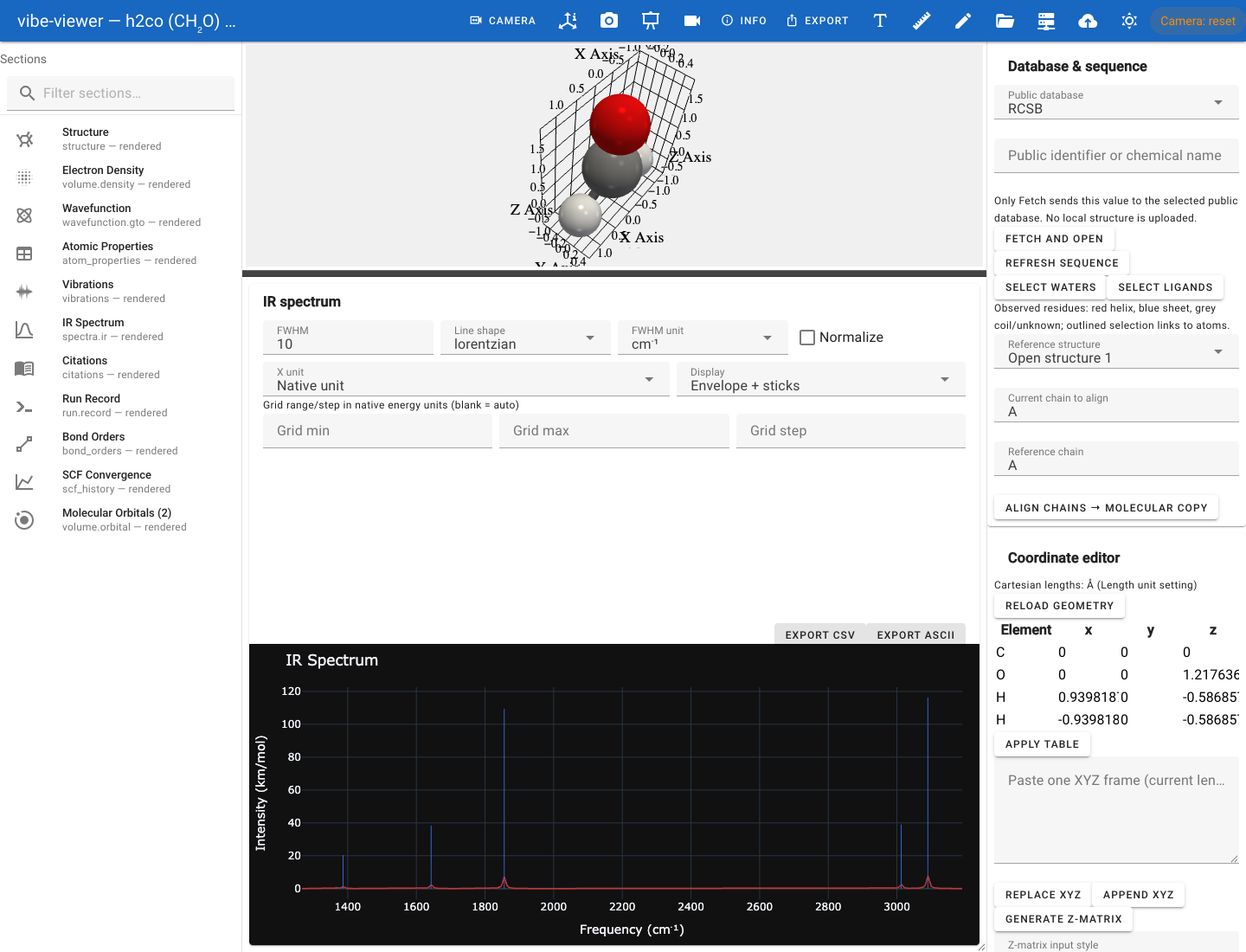
The computed IR spectrum from the formaldehyde showcase archive.
IR, UV/visible, Raman, ECD, VCD and generic spectra use interactive plots. NMR and EPR also expose their nucleus/site and tensor data in dedicated panels. Availability depends on which sections the producer stored.
Read the axes first: frequencies, excitation energies, shifts and field
values are different quantities. A broadening curve is a display aid laid
over the stored transitions; it is not an additional calculated result.
Choose a Gaussian or Lorentzian line shape with a FWHM in energy units, and
export the curve with its sticks as text from the browser or with
vibe-viewer spectrum. The browser reference describes
the controls. Normal modes can be drawn with displacement arrows and exported
as GIF or MP4 (vibrations).
Things that change over a coordinate
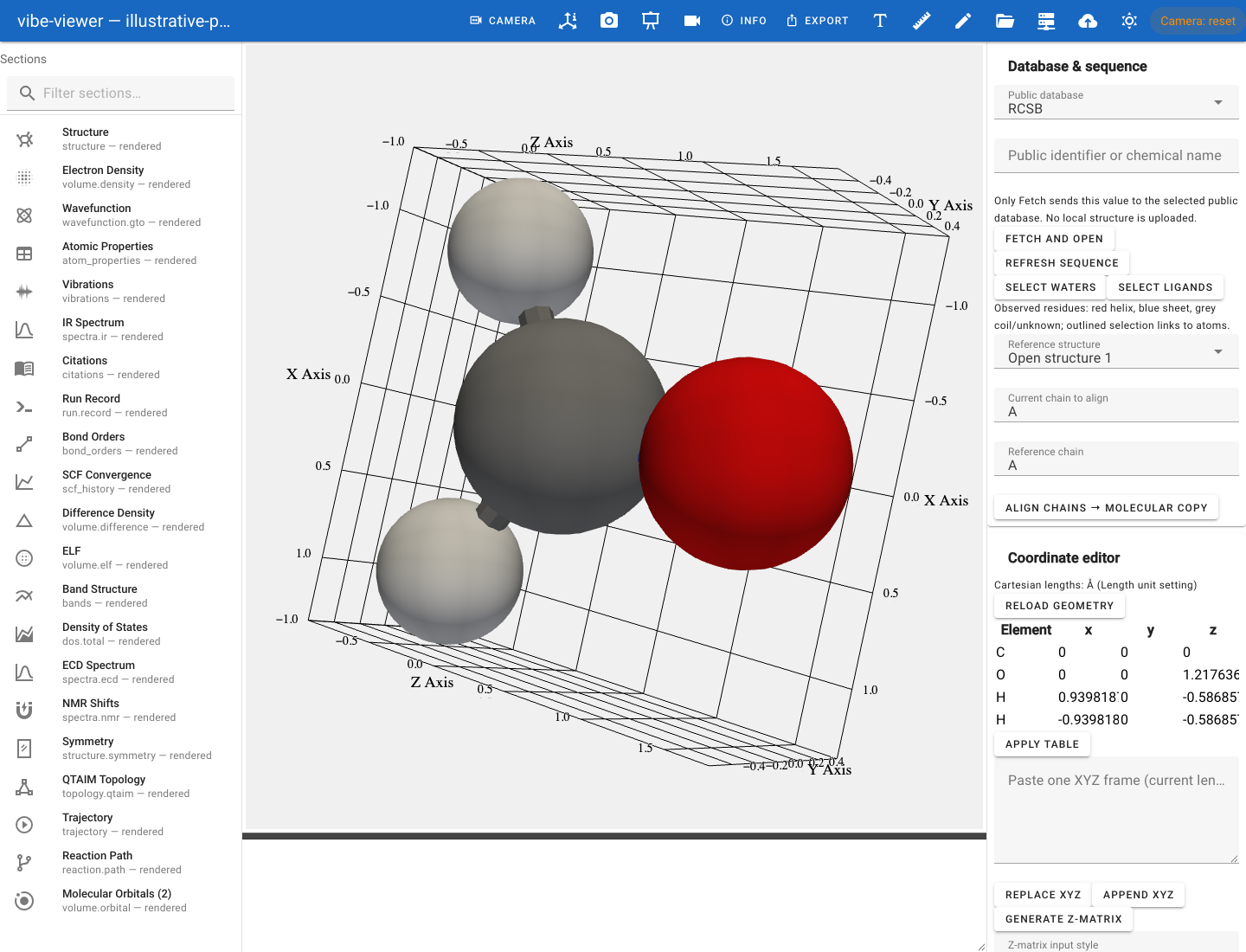
A normal mode from the formaldehyde calculation; playback moves the atoms along its displacement vectors.
Kind |
What you get |
|---|---|
|
Animated normal modes with a frequency selector |
|
Frame-by-frame geometry-optimisation playback with an energy plot |
|
Reaction paths, NEB images |
|
Relaxed and rigid scan surfaces |
|
SCF convergence, iteration by iteration |
vibe-viewer animate renders any of the animated kinds to MP4 or GIF without a
display.
Provenance
Kind |
What you get |
|---|---|
|
The references the producer says this calculation should cite |
|
What produced the file, with what settings |
|
The job that was submitted |
|
The steps of a reaction scheme as equations over the archive’s structures, with reagents, conditions and yields, in the details panel |
|
The archive’s picture: its thumbnail in the details panel. It describes the archive and is never drawn in the 3D view |
Which surface renders what
The archive is shared; the capabilities below are specific to each surface. “Stored volume” means a sampled grid in the file. “On demand” means evaluating an orbital from its basis and coefficient data.
Task |
Browser / desktop |
TUI |
One-shot |
Headless / Python |
|---|---|---|---|---|
Structure and stored volume |
Interactive scene |
Interactive text scene |
One text frame |
PNG with |
On-demand orbital or density |
Wavefunction controls |
Surface table |
Not evaluated |
Internal wavefunction API; see headless |
Bands, DOS, spectra, SCF |
Interactive plots |
Terminal charts |
Terminal charts |
Bands PNG; other chart helpers write HTML |
Scientific tables |
Result panel |
Data panes |
Use |
|
Excited states (TD-DFT and similar) |
Details-panel table |
Text table |
Use |
|
Editing and builders |
Available |
Read-only |
Read-only |
Separate structure commands; no interactive editor |
Trajectories and normal modes |
Playback |
Playback |
A selected frame |
|
Graphics requirement |
Browser WebGL |
No OpenGL |
No OpenGL |
PNG needs offscreen OpenGL; text/data export does not |
vibe-viewer capture accepts a structure, stored volume.* / basis.ao, or
bands section. It does not evaluate orbitals on demand or capture every
kind in this catalogue. The capture API lists
other export routes, including the orbital energy diagram. Notebook image
capture has the same offscreen graphics requirements as any PNG capture.
The terminal surfaces deserve the emphasis: vibe-viewer tui gives you the 3-D
viewer, the charts and a selectable surface table as Unicode braille, over
plain SSH, with no display server, GL or X forwarding. It also plays
animations — step a trajectory or a normal mode with [ / ], or press play.
vibe-viewer show renders one frame and exits, and needs nothing beyond the
core install.
Each surface has its own page: the browser viewer and building and editing, terminal mode, the desktop app, and figures without a display for the headless commands and the capture API.
Import and export
Read: QVF with every feature. Built in, beside it: vibe-qc Python inputs
(.py), XYZ and extended-XYZ trajectories, CIF, cube, PDB, Mol2, Gaussian
input (Cartesian or Z-matrix), Z-matrix blocks, GRO, SDF/Mol, formatted
checkpoint and Molden orbitals, MRC/CCP4 maps, and Turbomole/xtb coord files
and xtb trajectory logs. Optional extras add mmCIF ([biomolecule]), TREXIO
([trexio]), other programs’ outputs through cclib ([results]) and the ASE
long tail ([ase]). Third-party importer plugins are supported.
vibe-viewer formats lists what your installation can read, and --json
makes that scriptable.
Further programs are supported by writing QVF, not by adding readers for their native files: every vibe-viewer surface then reads them with no change here. See Add a program the viewer does not know.
ORCA: property text/JSON, supported orbital JSON or GBW, and raw MCD
files with the same basename form one calculation dataset. GBW uses the
matching installed orca_2json; text and JSON import are built in. The
ORCA chapter covers structures, absorption/ECD, raw MCD, atomic
charges, Mayer bond orders and supported real spherical s–f orbitals.
Additional property blocks are retained as vendor metadata rather than
presented as rendered results. A Hessian (.hess) adds vibrations and IR and
Raman sticks, and a completed ORCA output (.out) on its own gives the final
structure, optimisation steps, normal modes and IR, Raman, UV-Vis and CD
spectra; ORCA can also plot further densities through orca_plot.
Write: XYZ, CIF, CML, JSON, Python input, OBJ, glTF, POV-Ray scene,
Blender scene, standalone HTML, SVG, PDF — twelve formats through
vibe-viewer export. Volumes and figures go out as PNG through capture and
batch, and animations as MP4 or GIF through animate.
Convert: vibe-viewer import turns any readable loose file into a
persistent QVF archive, which is worth doing when you want the integrity
guarantees and the section model rather than a bare geometry.
What each importer keeps, and how to write one for a format that is not in the list, is on Input formats and interoperability. Cartoon rendering, chains, residues and B factors are on Biomolecules.