

Solid-state inputs: MgO, an Al₂O₃ slab and benzene on top
Build periodic structures step by step and write vibe-qc inputs for them:
bulk MgO in its primitive cell and as a Wigner–Seitz supercell, with periodic, cyclic-cluster (SECCM and AICCM) inputs;
an α-Al₂O₃(0001) slab with three stoichiometric layers;
benzene adsorbed flat on that slab;
editing the result: selecting and moving the benzene, setting the vacuum and adding a slab layer;
showing the structure in vibe-viewer in full 3D.
Each part is done in the browser’s Solid-state builder first, and then with the same steps on the command line. You need vibe-sketcher. vibe-qc is needed only to run the scripts, and vibe-viewer only for part 5. The solid-state guide explains every option.
The energies quoted come from runs with vibe-qc 0.18.12. They show that the
inputs run. They are not converged results: STO-3G, small k-meshes and
three-layer slabs are chosen so the jobs finish in minutes. Every command on
this page is run by the test suite, and the screenshots are made by
scripts/capture_solid_tutorial.py from the same steps.
Open the Solid-state builder
Start vibe-sketcher (vibe-sketcher serve --open, or the desktop app) and
open a new document. Press Ctrl/Cmd+K, type Solid, and choose
Solid-state builder…. The panel has one form per step on the left:
crystal, framework, nanotube, cell choice, slab, adsorbate, defects and the
vibe-qc input. On the right is a preview of the selected structure and the
section for editing it. Each form adds a new periodic structure to the
document. After each step, the source lists move to the structure just built,
so the next form is already pointed at it.
1. Bulk MgO
In Crystal, set New ID to
mgo, choose the rocksalt (cF) prototype and keep Cell: primitive.Click Build crystal. The summary reads mgo: MgO, 2 sites, 3D, primitive cell.
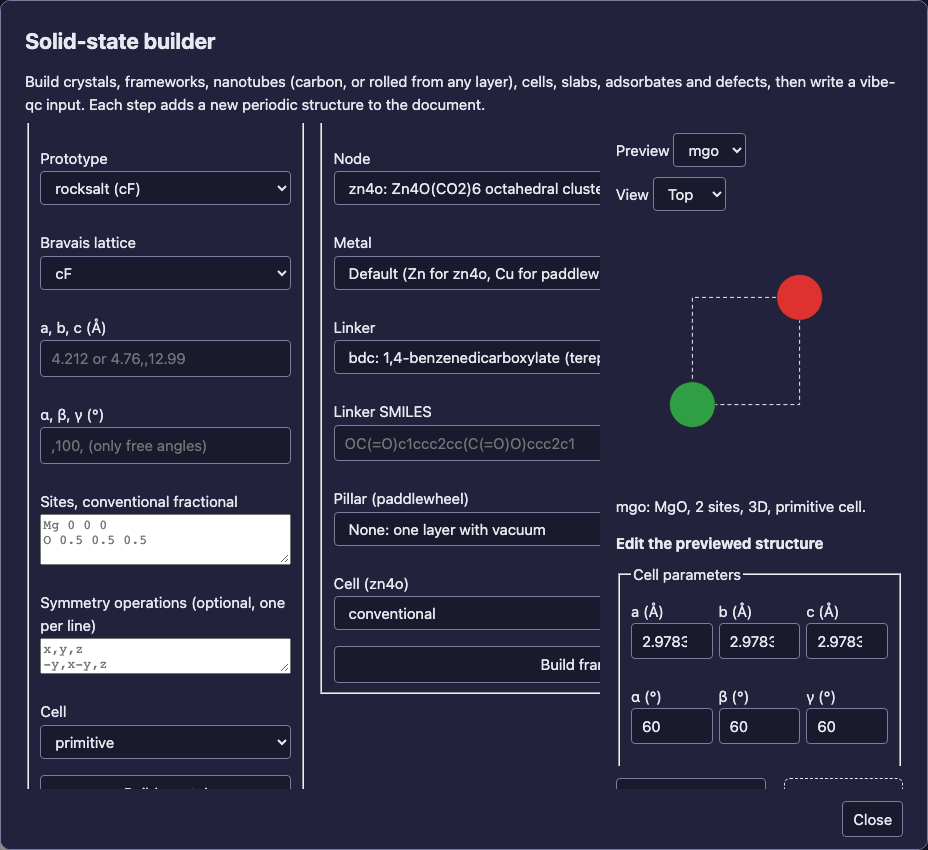
The Crystal form builds MgO from the prototype library. The default lattice constant is the experimental 4.212 Å; type another value into a, b, c to override it.
In Cell choice, set New ID to
mgo-ws, choose wigner_seitz_supercell and keep Supercell at2,2,2.Click Derive cell. The 16-site supercell has every atom moved to its image nearest the origin. This is the shape a cyclic cluster uses.
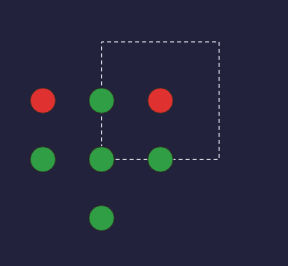
The preview is a schematic projection for orientation, not a 3D viewer. Use View: Side for the side view.
In vibe-qc input, choose the structure
mgo, keep Periodic (PBC), set Method topbe, Basis set topob-tzvpand k-mesh to4,4,4. Click Download input. A 3D cell uses BIPOLE by default; the k-mesh is Γ-centred.
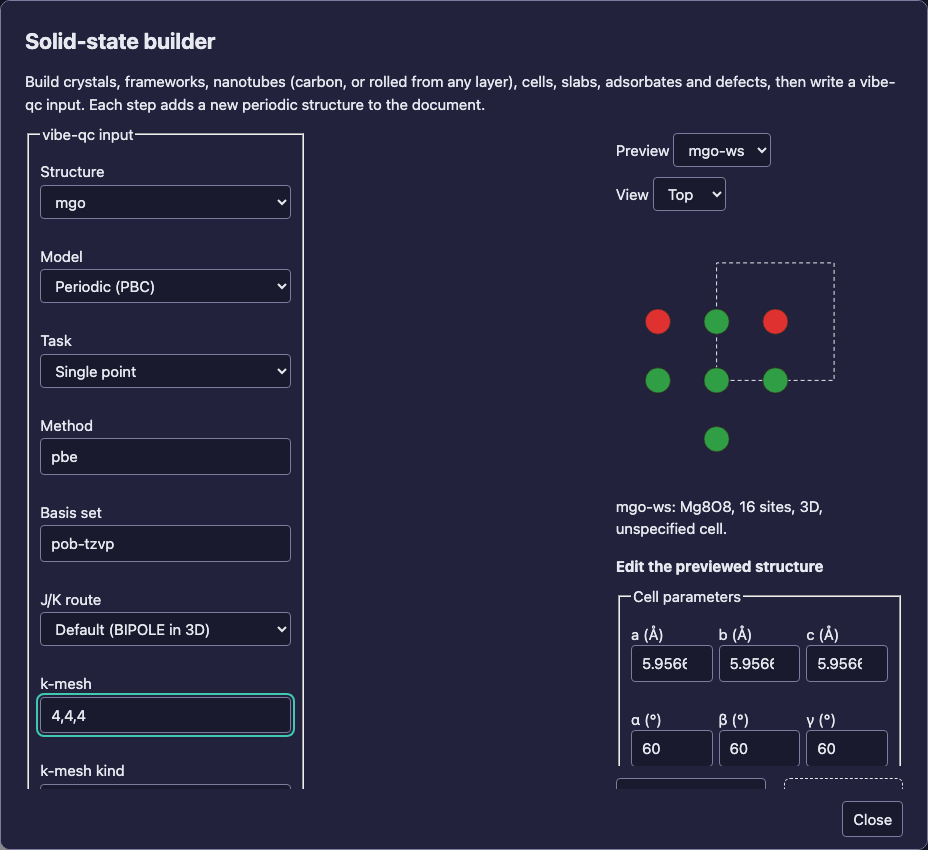
The writer refuses what vibe-qc cannot run and shows the reasons in the panel. For example, it refuses k-points on a cyclic cluster and AICCM below three dimensions.
For a cyclic cluster, choose SECCM cyclic cluster with method msindo. A
cluster takes no k-mesh. For AICCM, choose AICCM cyclic cluster and
also give the AICCM variant and the AICCM torus.
On the command line, the same part reads:
vibe-sketcher solid crystal mgo.vsk --id mgo --prototype rocksalt
vibe-sketcher solid cell mgo.vsk --source mgo --id mgo-conv --choice conventional
vibe-sketcher solid cell mgo.vsk --source mgo --id mgo-ws --choice wigner_seitz_supercell --matrix 2,2,2
vibe-sketcher solid input mgo.vsk --structure mgo --kmesh 4,4,4 -o inputs
vibe-sketcher solid input mgo.vsk --structure mgo-conv --model seccm --method msindo -o inputs
vibe-sketcher solid input mgo.vsk --structure mgo --model aiccm --variant four-center --extension 2,2,2 -o inputs
vibe-sketcher solid wigner-seitz mgo.vsk --structure mgo prints the
Wigner–Seitz cell of the fcc lattice, a rhombic dodecahedron with 12 faces.
Run an input with vibeqc run inputs/<name>.py. With vibe-qc 0.18.12:
Input |
Result |
|---|---|
BIPOLE RHF/STO-3G, run with |
E = −271.2573678 Ha, converged, 2 minutes |
SECCM CCM3D, conventional cell, a = 4.212 Å |
E = −66.2028690 Ha, 11 cycles |
SECCM CCM3D with |
E = −66.2038374 Ha, the value of vibe-qc’s own CCM tutorial (−66.20383741 Ha) |
The cyclic cluster uses the cell you give it. A larger Wigner–Seitz supercell is a larger cluster, and its size takes the place of a k-mesh.
2. An α-Al₂O₃(0001) slab with three layers
In Crystal, set New ID to
al2o3, choose corundum (hR) and Cell: conventional, then Build crystal. This is the 30-site hexagonal cell, so the basal plane is (0, 0, 1).In Slab, keep the bulk source
al2o3, set New ID toslab, Miller index0,0,1, Layers3, In-plane repeat2,2and Fixed bottom layers1. Click Cut slab.
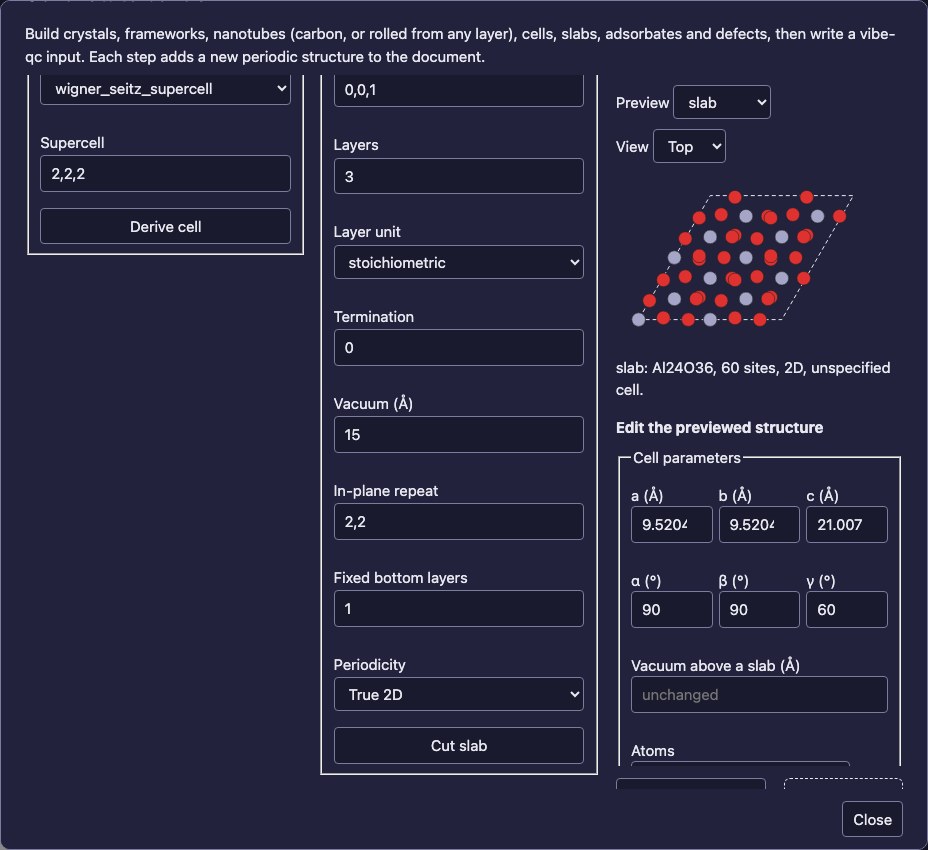
A stoichiometric layer is one Al–O₃–Al unit, so the 2×2 slab holds 3 × 4 Al₂O₃ = 60 atoms.
Termination 0 is the Al-terminated surface, the same on both faces. The builder records the face compositions and adds no dipole warning; try Termination 1 to see the warning for O₃ at the bottom and Al at the top. Layer unit: plane counts atomic planes instead. The slab is truly 2D (PBC T, T, F) with 15 Å of vacuum. Switch the preview to View: Side to see the three layers:
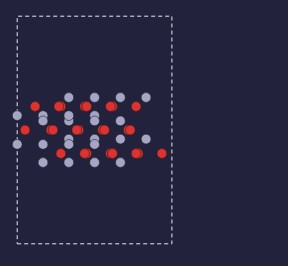
The side view projects the cell onto x and z. The dashed outline is the projected cell, with the vacuum above and below.
On the command line, the slab can be cut from the al2o3 crystal template in
one step. It is the same slab as the one cut from the corundum prototype:
vibe-sketcher solid terminations --template al2o3 --miller 0001
vibe-sketcher solid slab al2o3.vsk --template al2o3 --id slab --miller 0001 --layers 3 --repeat 2,2 --fixed-layers 1
vibe-sketcher solid input al2o3.vsk --structure slab -o inputs
vibe-sketcher solid input al2o3.vsk --structure slab --model seccm --method msindo --max-iter 1000 -o inputs
A 2D slab’s periodic input uses vibe-qc’s 2D Coulomb route rather than
BIPOLE. Its cyclic-cluster input is CCM2D. This slab needs a larger SCF
budget (SCF iteration budget in the panel, --max-iter here). The SECCM
CCM2D job then converges to E = −616.8967544 Ha. With the default budget of
200 iterations, vibe-qc reports that it did not converge.
3. Benzene adsorbed on top
In Adsorbate, keep the slab
slab, set New ID tobenzene, typec1ccccc1into or SMILES and set Height to3.0. A molecule drawn on the canvas can be chosen under Drawn species instead.Keep Site: top and Orientation: flat, then click Place adsorbate. The summary reads benzene: Al24C6H6O36, 72 sites, 2D.
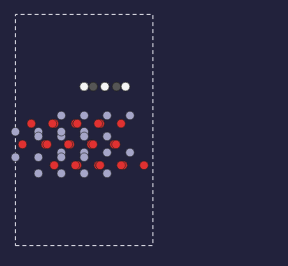
Benzene lies flat, 3.0 Å above the top-layer Al nearest the cell centre.
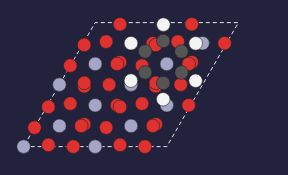
The top view shows the ring over the 2×2 surface cell.
A placement closer than 1.2 Å to the slab is refused, and so is one closer than 1.6 Å to the molecule’s own periodic image. Try a 1×1 slab to see the second refusal. Site: bridge or hollow and Orientation: upright choose other geometries.
On the command line:
vibe-sketcher solid adsorb al2o3.vsk --source slab --id benzene --smiles c1ccccc1 --height 3.0
vibe-sketcher solid input al2o3.vsk --structure benzene --method pbe --mace positions -o inputs
vibe-sketcher solid input al2o3.vsk --structure benzene --model seccm --method msindo -o inputs
The second command writes a PBE input with a periodic MACE pre-optimisation
first (in the panel: MACE pre-optimisation: Positions). It keeps the
bottom layer fixed, which is the slab’s fixed layer, and relaxes the rest. It
needs pip install 'vibe-qc[mace]' in the vibe-qc environment; without MACE,
the script stops with vibe-qc’s installation hint. The SECCM CCM2D
benzene/Al₂O₃ job converges to E = −655.8148434 Ha.
4. Edit the structure
The Edit the previewed structure section below the preview works on the structure shown there. It replaces that structure under its ID.
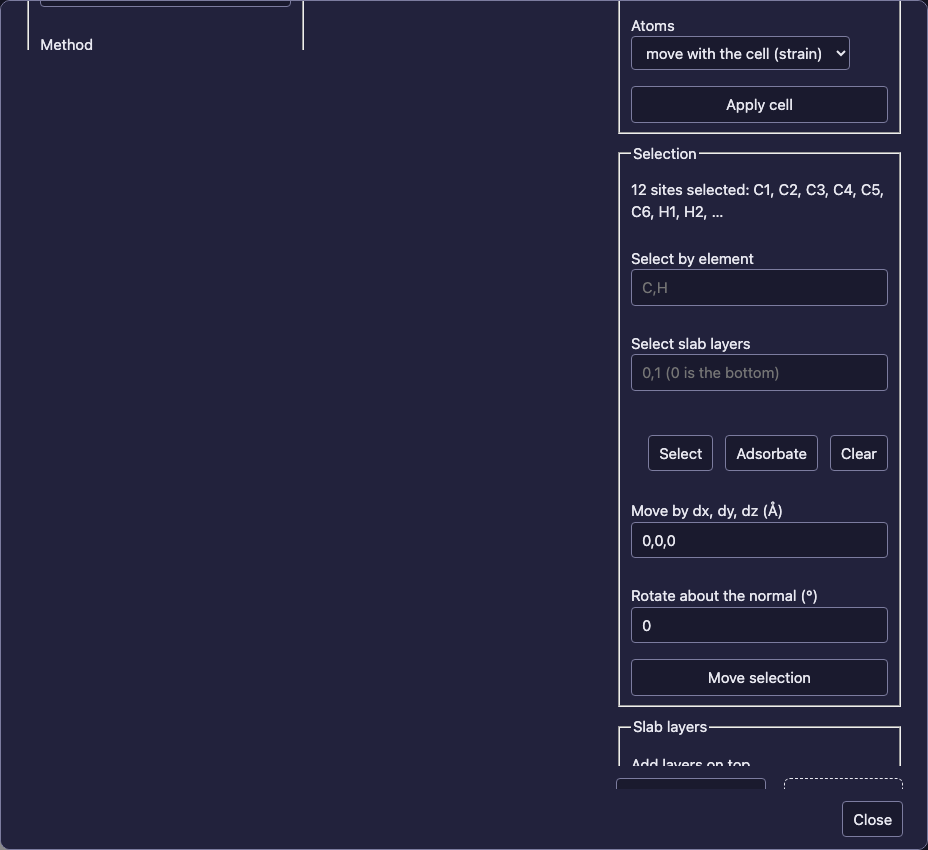
Click Adsorbate under Selection. The 12 benzene atoms are highlighted. You can also click atoms in the preview (shift-click adds atoms) or select by element or slab layer.
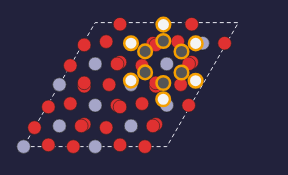
Selected atoms are outlined. Drag a selected atom to move the whole selection in the plane of the view.
Drag a highlighted atom in the preview to move the benzene across the surface. You can also type a translation under Move by and an angle under Rotate about the normal, then click Move selection.
The cell parameters are filled in from the structure: a = b = 9.52 Å and γ = 60° for the 2×2 hexagonal surface cell.
Under Cell parameters, set Vacuum above a slab to
20and click Apply cell. The layers keep their thickness; only the gap changes.Under Slab layers, keep
1and click Add layers. The slab is cut again from its bulk source with one more layer, the new layer goes on top, and the benzene rises with the surface. Your earlier edits are kept.
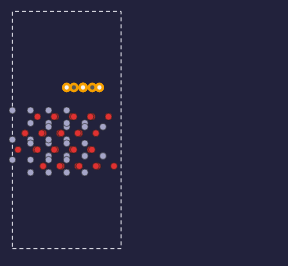
After adding a layer, the slab has four layers (92 atoms), and the benzene is still 3.0 Å above the top.
Changing a, b, c or the angles works the same way. Atoms: move with the cell strains the structure; stay in place keeps the positions. On the command line:
vibe-sketcher solid edit-cell al2o3.vsk --structure benzene --vacuum 20
vibe-sketcher solid move al2o3.vsk --structure benzene --adsorbate 0 --by 0.5,0,0 --rotate 30
vibe-sketcher solid add-layers al2o3.vsk --structure benzene --count 1
Every edit is recorded in the structure’s provenance. An edit that would put two atoms within 0.5 Å of each other is refused.
Draw a publication figure
Under Publication figure, choose View: side (along +y), set Display
repeat to 2,1,1 and click Download figure. The SVG is drawn from the
structure itself, with the cell, a, b and c, a scale bar and the element key.
Tick Wigner–Seitz cell or First Brillouin zone panel for those, or
give a Miller plane for a 3D cell. On the command line:
vibe-sketcher solid figure al2o3.vsk --structure benzene --view side --repeat 2,1,1 -o benzene-side.svg
vibe-sketcher solid figure mgo.vsk --structure mgo --view isometric --wigner-seitz --brillouin -o mgo-zones.svg
The solid-state guide lists every figure option.
5. Show it in vibe-viewer in 3D
Below the editing section, Show in vibe-viewer (3D) sends the structure to vibe-viewer with its cell. It goes to the open viewer when vibe-viewer started the sketcher, and otherwise starts one. You can also drag Drag to vibe-viewer onto a vibe-viewer window or tab. In the desktop apps this is an ordinary file drag, so the dock icon and folders work too.
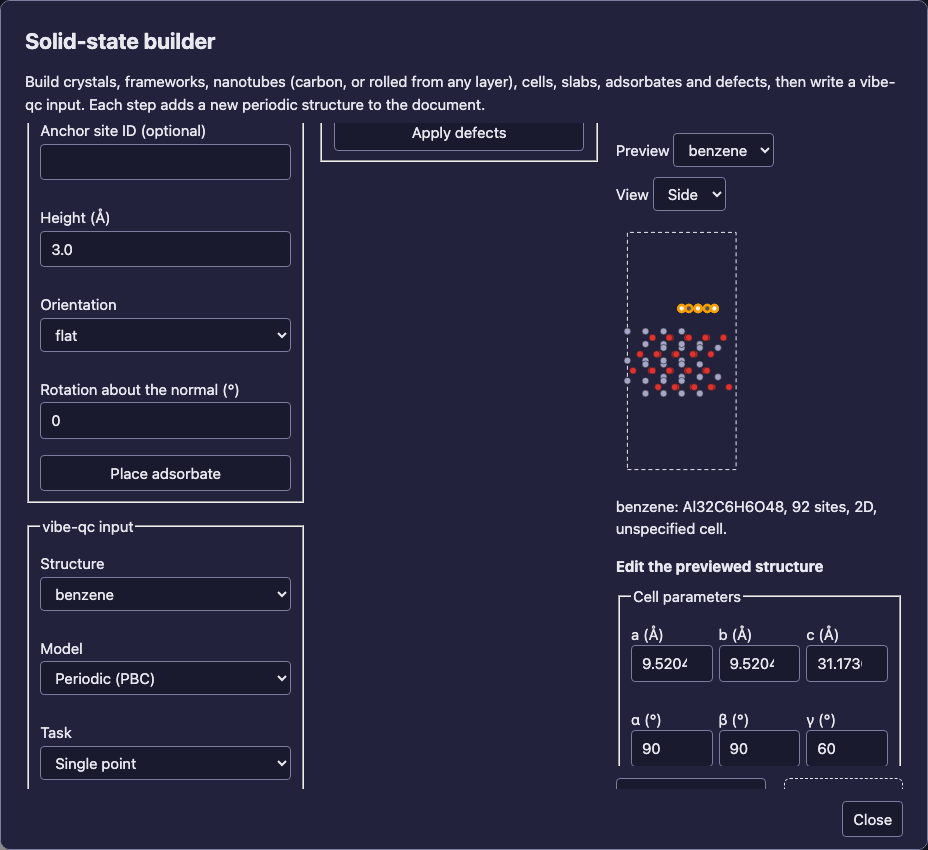
Show the structure in vibe-viewer with the button, or drag the handle onto a vibe-viewer window.
On the command line, vibe-sketcher solid view al2o3.vsk --structure benzene
does the same as the button.
Where to go next
Solid-state structures and inputs: every lattice, cell choice, slab, adsorbate, defect, edit and writer option.
Periodic structures: the stored model, CIF and QVF.
Solid-state input builder plan: what is still to come.